Showing posts with label Social Media Management. Show all posts

Tuesday, January 1, 2019

Five New Year’s Resolutions to Level-Up Your Social Media Game

It’s time to ring in the New Year! That means celebrations, maybe some vacation days, and time to set your intentions and resolutions for 2019. We’re here to make the resolution part a little bit easier, with these five social media resolutions. We hope they’ll help support you and your business to go from coasting to thriving in 2019!


1) Wake up and smell the routine

“I posted on Facebook and Instagram twice last week, four times the week before, and I don’t think I’ve done any posts for this week...but next week I’ll try to get back into it and post- maybe three times…”

Sound familiar? You’re not alone in this struggle, but it really is an easy fix that can yield solid results. So if you only do one thing to improve your social media presence, let it be this! Get into a consistent schedule with your posts. Decide how many times a week you want to post on every platform, then stick to it. To do this, follow whichever method works for you - maybe you want to use your Google calendar to schedule mini appointments and reminders to write and/or post the content, or use the old school method of using a paper calendar as a physical visual of your plan. You also could create a spreadsheet that includes all of your platforms and the dates that you plan to post for each. The point is, get into a routine of weekly posts, and you’ll make your followers happy with the steady flow of content, plus you’ll pick up new followers along the way!



2) So fresh and so clean 

It’s time to clean up your act! But we’re not talking about literal dirt or even bad language. We’re talking about cleaning up your messaging and staying on brand. If the tone of your posts changes often, if the focus of your content seems to always shift, and if you don’t have a clear message threaded throughout all your posts, then it’s definitely time for some cleanup and brand clarity. One approach is to think about your brand as an individual person, with a personality and story that is all theirs, completely unique to them. What would he or she say? How would they act? If you’re not sure how to answer those questions, get your team together and brainstorm, so that you all know precisely who your brand is, and are all on the same page. When you get specific on who your brand is, then all your messaging should be aligned with that voice and style. And your core values should be communicated as a thread through all your posts.



3) Engage! 

Many businesses make the mistake of focusing only on the content they’re putting out, and they forget about connecting and engaging with their audience and potential customers. Don’t make this mistake! If this has been you, let 2019 be the year of engagement. Go to your followers’ social media pages/accounts, like their photos, comment when appropriate, and do so regularly. Then go to potential followers’ pages/accounts and do the same, and you’ll see your own followers increase. On Instagram and Twitter, an effective way to find potential followers is to search using relevant hashtags. If you already know the "how to" and the "why it’s important", but have had trouble making it happen, then add engagement as part of your scheduled weekly routine, in the same way that you set up time to create and post your content.



4) Should auld acquaintance be forgot… 

Something we often see when we start working with new companies is that they’re following a multitude of accounts on their social media platforms, many of which aren’t connected to them or to their business in any meaningful way. If that’s you, then it’s time to let some people go, so to speak. Set up some time to go through the list of who you’re following, and unfollow accounts that don’t make sense. For example, if you’re a restaurant in Seattle and you’re following a national shoe company. Maybe you really like the shoes, or they had a fun post you liked so you randomly followed them one day. That’s fine for your personal account of course, but it doesn’t really make sense in terms of your business. So go ahead and click “unfollow” and keep on filtering out superfluous accounts.



5) We get by with a little help from our friends. 

If you’re managing your company’s social media by yourself and are feeling overwhelmed, or if you’re working with a team but are unsure whether you have the right expertise involved, then it might be time to seek some help. If you’re experiencing the first issue (flying solo), then talk to the powers that be about how you could bring on other employees with social media management experience to share the load. If that isn’t an option or you don’t think your team has the necessary skills and expertise in the field, there are plenty of outside options to consider. A designated part-time employee could work well for you, or you could contract with an outside company to have them manage your social media. We admit that we’re biased, but for the latter option, The Social Stage is a great solution! We’d be happy to chat with you to see if we’d be a good fit for your needs.

Best of luck with your Social Media Resolutions, as well as with your other 2019 goals. From our Social Stage family to yours, we wish you a very Happy New Year!

Wednesday, August 15, 2018

Don't Shoot for Perfection


You’ve probably heard the saying that “perfection is the enemy of ‘good enough’”, and in terms of starting up your social media presence for your business, this has never been more applicable. 

A friend of mine recently started her own therapy business, and when I asked her why she doesn’t have any social media set up for her business yet, she said, “I’m working on it, but I don’t want to push it out there until it’s ready. What I have isn’t perfect yet, and I still have a lot of preparation to do before it gets there.” 

My response? Don’t let your high level goals hold you back! Don’t get me wrong, it’s great to set lofty goals for your business and for what you envision for your company’s social media presence. But waiting to get started because of those standards will only set you back. 

Instead of waiting until you have all your social media platforms decided on and you’re ready with great content for each, start with just one. Facebook is a strong option, since you’re probably already familiar with it, or maybe go even simpler and begin with Instagram, if Facebook seems intimidating as a first step. The first part, a short bio for your business, might be something you can pull from your website if you’ve already gotten that set up. Or if you’re really starting from scratch, set a deadline for yourself for when you’ll launch the platform with the bio. and your first post. Don’t prolong it! Set a reasonable goal, like one week ahead, and stick with it. Ask a trusted friend or professional for a second opinion if you like, then go for it! Even if it’s not exactly what you had envisioned, it’s a start. You can go back and adjust it whenever you need, but at least you’ll have that step checked off the list.  

Now that you have at least one live platform, set yourself up for success by creating a schedule for releasing your content. This can seem daunting when you’re new to it, but it’s really quite simple. Start with deciding what you can realistically do in terms of your own time and bandwidth, which might only be two posts a week to begin with, and that’s totally fine! Then set a time where you’ll write those posts in one sitting, and at the same time schedule when you’d like to post them in the upcoming week. If you struggle to know what to write when you’re starting out, check out other professionals’ pages for inspiration. For example, if you’re a jewelry designer, take a look at some other designers’ pages and see what images and messages you’re most drawn to and what resonates with you. 

Next, once you’ve created content for the first week, there’s a number of ways to schedule the posts to be published in the upcoming week. If you’re using Facebook, you can save a draft of a post and then schedule what day and time it will be posted. For Instagram and Twitter you can eventually use a program like Hootsuite if you like, which is a place for you to write posts and also schedule for them to be posted automatically at times you choose. Alternately, there’s the old fashioned way of setting a calendar reminder on your phone to take a minute and publish them manually! Again, rather than waiting until you have all the bells and whistles set up in terms of programs to automatically publish your content, it’s better just to start with the simple old fashioned approach. 

In the end, if you’re still feeling like your head is spinning at the prospect of setting up your  social media, then it might be time to ask for help. You might have someone on your team who already has a strong grasp on social media marketing and would be willing to help, or you could always give us a call at The Social Stage, to see if we would be a good fit for your needs. Whichever route you choose, there’s no time like now! 

Tuesday, May 30, 2017

Measuring Social Media ROI in Real Life


The other day, someone impressed the heck out of me by doing something that few businesses do well: he asked how I heard about his company. This is an essential piece of the social media strategy puzzle, especially for brick-and-mortar businesses, and often a missing piece. When a retail client asks me how their social media strategy is doing, my response is usually, "Well, you tell me?" I can track and report from my end what kind of reach and engagement their posts are getting, but success for them is most often measured by an increase of foot traffic and physical sales. If businesses aren't asking customers where they are coming from, they will never know if their social media efforts are paying off.

"But won't that seem weird?" No one is going to be put off by being asked how they found you. (Well, there are always exceptions, but they are few and far between!) If someone is browsing your small retail store, a simple "Hey, welcome in! How did you hear about us?" can work wonders. Another thing to keep in mind is that you don't have to wait to ask them until you close a transaction. But if chatting them up is out of place, your point-of-sale system may give you a short survey option for them to fill out as they're checking out.

To make this process worthwhile, make it more than just anecdotal evidence. Create a way to track it systematically, whether it's a spreadsheet, a physical piece of paper, or a relationship management software.

If it's overwhelming for you or your staff to work this type of tracking into your everyday business routine, simplify it. Try it once a week or once a month. Something is better than nothing, so even an occasional snapshot will give you an idea of how effective your social media efforts are.

This post is an extension of a quote I gave to fellow Social Media Today contributor Steve Rayson for his post about social analytics. Kudos to Steve for getting my creative juices flowing on this topic.

As always, if you have questions on social media best practices, I'd love to hear them. Please get in touch via my website.

Friday, April 28, 2017

Social Media is About Interactions

My approach to social media is focused on social networking, not social marketing. Marketing and sales happen, but as a result of successful interaction and engagement with customers.

I watched the Pope's TED Talk yesterday and was struck by one key point he made: "each and everyone's existence is deeply tied to that of others: life is not time merely passing by, life is about interactions." The same can be said for how people use social media. The endless streams of posts are not merely flowing through our news feeds; they represent moments of connection, both actual and potential.


When someone posts on their social media accounts, they are, whether actively or passively, seeking a connection, whether with individuals or with brands. They are sharing a bit of themselves with the world, with the understanding that by doing so, they open themselves up to connections with others.


Capitalizing on this element of connection is what the most successful brands (and people) on social media are doing right. The brands with the least effective (and most cringeworthy) social media presence are either ignoring the power of these connections, or getting them completely wrong.


When customers and fans tag a brand in a post, they do so with the understanding, if not expectation, that the brand is listening and could potentially respond to them. Often, customers will turn to social media for customer service before interacting with a representative in person. Brand evangelists, as well as would-be influencers, engage with brand accounts in the hopes of elevating their own credibility and influence.

Whether social media user interactions are positive or negative, truly enthusiastic or self-serving, the best brands are listening and responding. Are you?


If your business needs help listening and connecting to your fans, customers and prospects on social media, please get in touch.

Happy Networking!

Lauren

Thursday, January 12, 2017

Your Business Needs a Social Media Checkup - Here are 5 Reasons Why


January is a great time to review your social media strategy and the content you’ve posted to make sure you’re on track. Review these items to stay on top of your social media presence in 2017.
  1. Goals – Your business may have different goals now than it did last year, several years ago, or whenever you got started on social media. Whether you’re trying to generate walk-in business or to send people to your website, having clear goals in mind will help you establish an effective social media strategy.
  2. Target Demographic – Is your target demographic the same now as it was when you started? Your target may have shifted, or your demographic’s favorite social network may have changed. You may need to add a new network like Instagram or Snapchat to make sure you are still reaching them.
  3. Content Mix – You may have fallen into a pattern without realizing it, posting the same type of content (photos, links, plain text) or even the same wording all the time without realizing it. You may also be focusing too heavily on selling your business rather than developing a relationship with your customers and prospects. Reviewing your content mix will help you freshen up your content and generate new engagement from your audience.
  4. Industry Trends – Monitoring trends like live video as they gain popularity and assessing whether they’re right for your business can help you make the most of your social media presence. But be careful not to jump on trends right away. I’ve found the best practice is to watch and learn from early adopters to see if the trend is a good fit and how you can best utilize it to your advantage.
  5. Consistency – Review your post frequency to see if your social media activity is consistent. It’s a lot to keep up with! There may be long gaps between posts without you realizing it, if you’re not keeping track. If you’re having trouble keeping up, it may be time to bring in outside help. Consistency can also be an issue when it comes to voice and tone. If multiple people are contributing to your company’s social media presence, your audience may be confused by inconsistency in your brand’s voice.
My best wishes for the year ahead and if you have any questions or need any help with your social media presence, please contact me.

Tuesday, October 25, 2016

The Absolute Worst Thing a Business Can Do on Social Media


If you were to ask me the number one mistake business owners make when trying to do their own social media, I might be tempted to say overselling their product or service. Social media is a networking tool, not a megaphone! Beyond that, there is one thing that is even worse: buying likes/followers. Here are my top four reasons why buying followers is a bad idea, and what business owners should do instead.

  1. When you buy followers, they are usually FAKE. When I go through the thousands of followers a new client has purchased before hiring me, they're often extremely obvious bots. That, or they're accounts like my client's: they've given a paid like/follow service access to their account, and therefore their account has liked/followed thousands of similar accounts. They may also be "click farmers" - real people who are paid to like/follow a client's accounts. For more on click-farming, check out this excellent video by Veritasium.
  2. Fake followers drive down post reach. Fake followers usually have absolutely no relevance to your business. Their only benefit is to drive up your overall follower counts. With social networks across the board implementing news feed algorithms, having thousands of fake followers who aren't engaging with your content often means that your post reach dwindles away to nothing.
  3. Fake followers max out follow caps. If you purchase thousands of likes or follows from a spam service, chances are your account will follow thousands of accounts to get there, and you will quickly reach your follow limit on Twitter and Instagram. That will prevent you from following other accounts that are actually relevant to your business.
  4. Buying fake followers can open you up to hackers and credit card fraud. As explained here, people who are willing to take your money to hook you up with fake followers may also be willing to sell your info to others. Stay safe! This aspect of the trade is especially troubling to me when I see my client's accounts followed real teens and even tweens who only posted a few times on Instagram and had clearly used the same follower purchasing company to drive up their numbers.
Instead of buying fans and followers from a shady service who tags you in a post or direct messages you, here's what to do instead:

  • Generate organic social media growth by following and engaging with legitimate accounts.
  • Create extremely targeted ads through native ad platforms to attract legitimate fans/followers. Yes, you may still get a few fake followers this way, but the more specific you are (think demographics, regions, interest keywords, languages spoken, etc) the more likely you are to find real people.
  • Instead of paying someone with questionable ethics to get a few hundred or a few thousand fake followers, hire a real social media manager to create both organic and paid social media growth.

Friday, February 19, 2016

Like Facebook Pages as Your Facebook Business Page - Social Media Basics

Liking other Facebook Pages with your Facebook Business Page is a simple business-to-business outreach and engagement technique. The Pages you like will receive a notification that your Business Page liked them, and hopefully they will like your Page in return and interact with your content.

The Pages you like will appear publicly on your Business Page under "Liked By This Page." 

The few featured Pages will rotate regularly, displaying up to five Pages. If you want certain Pages to always appear on that list, you can choose them in the Featured tab of your Settings page.

Clicking on the small "Liked By This Page" list will bring up the full list of Pages your Page likes. This list is also visible to the public. Clicking on the dropdown next to the Page name will allow you to get notifications from the Pages your Page likes, to see their posts in your personal News Feed, or to unlike them as your Page.


On the flipside, you can see the full list of Pages that like your Page under Settings - People and Other Pages - Pages That Like This Page. If you want to remove or ban a Page from liking your Page, click on the settings wheel to the right of that Page's name in the list.


When you like Pages as your Business Page, their content will appear in your Page's News Feed. To view that Feed, visit the Facebook Business Page bookmark page and click "Log In" next to the name of your Page. From there, you will navigate Facebook as your Page, and be able to like new Pages by looking them up in the search bar, and interact with content you see in the News Feed. The blue top navigation menu will show you that you are using Facebook as your Business Page. To switch back, click the dropdown arrow at the right of the top navigation bar, and click your Profile name.

You can also see the full list of Pages your Business Page likes, as well as the News Feed from those pages, anytime on your Pages Feed. To visit it, go to https://www.facebook.com/[your Page username]/pages_feed

Have fun exploring Facebook and liking Pages as your Business Page! If you have any questions about this process or need help managing your Facebook Business Page, please get in touch via my website.

Monday, February 8, 2016

A Quick & Simple Way to Generate Facebook Page Engagement


Because of the way Facebook's EdgeRank algorithm filters the News Feed, Page managers need to be creative to generate authentic engagement. One quick and easy technique, especially for smaller businesses and solopreneurs, is to send individual Facebook post links to family, friends and customers to ask for engagement. If you're annoyed that people who might particularly be interested in a certain post aren't seeing it, make it happen by sending them the direct link to that post. 

The timestamp to the post is the link. You can either right click on it and use your browser's dropdown menu to copy the link, or left click to open the individual post and copy the url from there. (Click here to see what that looks like.)

This technique works best when you choose a post that has particular meaning for the person or people you're sending the link to, and when you provide a specific call to action. For example, a skincare representative might send the link to a post about a particular product to a client who has used that product, and ask her to share her experience in a comment on the post. Or an auto mechanic might post a photo of a client's car and send him the link, asking him to like or share the post to his friends.

Since EdgeRank factors in a person's recent engagement with the Page to determine whether they should see more posts from it, this technique will also make the people you send post links to more likely to see your posts in the future. It's the engagement gift that keeps on giving!

Friday, October 23, 2015

How and Why to Use Facebook's Save Feature

Whenever I see someone post something with a caption like "saving this for later" I cringe. You see, last summer Facebook introduced a feature that should have done away with that type of post. The problem is too many people are oblivious to its existence.

Facebook's "Save" feature allows users to save any type of Facebook post (link, photo, video, etc) for later viewing or sharing, or just for posterity. It organizes saved items according to category. For social media managers especially, the Save feature is a handy way to collect ideas and items to use later, since Page shares can't be scheduled in advance. For regular users, saving items saves your friends the headache of seeing yet another "For later" post in their News Feed. Because of the EdgeRank filtering algorithm, it also means that they'll see more of the things you want them to see, like and comment on.
Here's what not to do. The original post even contains a call to action that the save feature is intended to replace: "Share to save this to your timeline!!!" This type of call to action can actually decrease the reach of posts by brands because of last November's news feed changes to discourage promotional language and "click baiting." 

Click on the dropdown arrow at the top right corner of any post and then click "Save." 

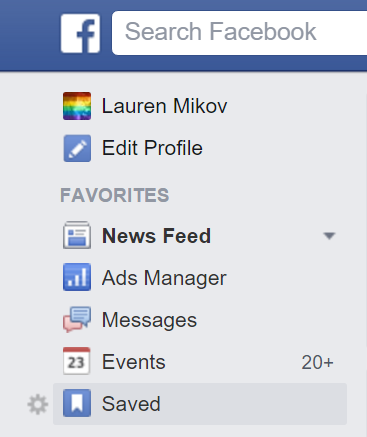
You'll find your saved items by clicking on the "Saved" link in the left-hand menu on your homepage, or at facebook.com/saved.
Your saved items are organized by the date you saved them under All, or according to the type of post.

Happy saving!

Wednesday, August 26, 2015

Yes, You Can Hire Someone to Manage Your Twitter Account


When people ask what exactly a social media manager does and I explain it to them, one of the most common responses I get is: "You mean I can hire someone to tweet for me?" Yes, you can! "But how do you know what to say?"

A good social media manager is a chameleon. To determine what to tweet on their behalf, I soak up all the details of my client's business and create a custom content strategy. I then develop their voice and tone down to the smallest detail. Are their hashtags practical or whimsical? Would they use periods at the end of sentences or ellipses? Do they use contractions? What about slang? When you only have 140 characters to work with, these tiny elements make a big difference. They are what creates authenticity and prevents tweets from sounding corporate or canned.

Managing a Twitter account for a brand also means curating and developing their online community. Retweets, follows and favorites further express the brand's identity and help it connect with the right customers, partners and prospects. I once took over a local business' Twitter account and discovered that the agency who theyd worked with previously had followed nearly 2,000 Twitter accounts of peope all across the country, in an effort to build their community. The problem was, a vast majority of those people would never visit the city the business was in, let alone shop there. A good social media manager will develop a Twitter community that is relevant to your business.

One of the most important things that a social media manager provides on Twitter is a high and consistent volume of posts. If you're posting only once a day, no one is seeing your messages. Opinions differ on exactly how many posts per day is effective, but no matter what your goal total is, boosting the volume of posts gives you more opportunities to be heard throughout the day.

Long story short, it is entirely possible (and highly recommended!) to find someone to tweet for you instead of trying to do it yourself. Hiring someone to manage your Twitter account will give you a more consistent, engaged, effective presence and free up your time to focus on the work of your business.

Monday, August 10, 2015

Reason 257 Why You Need Social Media: Your Customers Are Passive-Aggressive Jerks


We have officially reached the stage in our cultural development where customers would rather whine about issues on social media than address them in person. In my last blog post, I shared a social media customer success story. This time, I will share a few real life examples where customers have reached out through social media about issues that could, and probably should, have been addressed in person or through traditional customer service channels. Each example details suggested responses for similar scenarios.
  • "The tomatoes on my sandwich were sliced so thin it was like there were no tomatoes at all!" There are two main issues with this type of interaction: too much time has elapsed to solve the issue, and the issue is subjective. This is a good time to remember that the customer is always right. Your staff member may have thought that the thickness of the tomatoes was fine, or may have been trying to save you money, but the customer is unhappy. It's probably too late to do anything about the sandwich in question, so apologize and find a way to make it right.
  • "Ugh! The product broke on its way to me!" This is a typical case of people not knowing how or taking the time to find traditional customer service channels. Apologize, direct them to the right place (and a location where you can get their info without exposing it to the public), and make it right.
  • "Your staff person was SO RUDE!" This offended customer simmered about the in-person interaction they had with your business until they had to say something on social media. Maybe they felt uncomfortable asking to speak to someone in person, or maybe they just wanted to rant online. Whatever the reason, apologize, take the interaction out of the public eye, get the details from both sides of the story, and find a way to make the customer walk away happy.
Notice a theme here? The customer is always right. Handling social media complaints with tact and care can turn a negative interaction into a positive relationship. Responding quickly and effectively via social media makes you look good to other customers and prospects as well. And directing confused customers to the proper customer service channels will help prevent future confusion.
When you hire someone to manage your social media accounts, ask them about their experience with and approach to customer service. These days, social media is a customer service resource. Monitor it and treat it as such, or suffer the consequences: even more annoyed customers.

Monday, March 2, 2015

Do Your Social Media Homework: 3 Ways Clients Can Get Involved


Sometimes when I manage a company's social media accounts, my client will ask for homework. "What can I do to contribute to my social media presence?" They want to get involved beyond the tasks I include in their contracts: sending me anecdotes, info, and photos related to their business. Here are three "extra credit" assignments for clients who want to supplement the work of a social media manager without getting in the way.

  1. Research: A good social media manager will of course do extensive research on your brand and industry. You can help with this by researching what your competitors and comparable businesses are doing on social media. What accounts do you admire? What accounts are getting it wrong? Who do you want to emulate? Who do you want to engage with? The more information you can give your social media manager, the better. It will help her hone her social media strategy and the look/feel/tone of the social media presence she is developing for your company.
  2. Network Engagement: As your social media manager represents your company's brand, you can support her work by developing your personal brand. LinkedIn is a perfect platform for this. Connect with people and comment on their posts. Join groups and discuss topics relevant to your industry. Ask for and give recommendations. If you need guidance on how to make the best use of LinkedIn, just ask your expert! You can also talk to your social media manager about what other networks you can use to develop your personal brand (i.e. Twitter and Instagram.) 
  3. Personal Engagement: This is an area where you can have a significant impact, because it can't be duplicated by a professional. You can make a major difference in the success of your social media campaign by personally engaging with customers and partners about your social media presence. Send personal notes via email with links to your accounts, asking people to connect. In person, mention your social accounts to customers and partners and ask them to engage with you. Train your staff, if you have them, to ask customers for social media engagement. The perfect example I always use is if you see a customer taking a photo, thank them and ask them to tag your accounts! 
These are just three of many ways you can build on your social media manager's work. By taking the initiative and doing a little more, you will increase the reach of your social media presence and ensure that it best reflects your brand.

Monday, February 2, 2015

"What's your motivation?" Applying acting theory to social media strategy


One of the keys to finding and engaging a community on social media is understanding and satisfying their motivation. I first learned about motivation in an acting context. When playing a character on stage, it's my job as an actor to understand my character's motivation in that scene and in the play as a whole.

A character's motivation is the driving force behind his or her words and actions. It's what gives them meaning and weight. The same goes for social media users. In order to get a fan to engage with them on social media, a business needs to understand their motivation. All too often, businesses structure their social media strategies around satisfying their own motivation, which is usually to drive sales, rather than focusing on the motivations of their fans.

To understand your fans' motivations and use your knowledge to maximize engagement, ask yourself the following questions:
  1. Why did fans like or follow me in the first place? This question is similar to an actor exploring her motivation in the play as a whole. Potential motivations here could be because they need information, they genuinely like your business and its products or services, they're curious about your business, they were/are bored, or because you provided an incentive, like a discount promotion.
  2. Why have fans engaged with me in the past? Just as an actor might research or create a back story for her character, diving into your statistics will give you a good sense of your fan base's motivations as you see what types of post they have interacted with most.
  3. Why would fans interact with a new post? In addition to understanding her overall motivation, an actor must work to find her motivation in each scene. Similarly, a social media manager must explore why a fan would want to interact with each post she writes. It could be the same as the overall motivation or it could be different. For example, a fan who likes a Facebook Page to relieve boredom might like a funny video post because it fulfills the same purpose. But he also might like a post because he is provided an incentive to do so, such as a product discount.
  4. What should I do now? An actor uses her understanding of her character's motivation to successfully perform a scene. A social media manager should therefor use her understanding of her fans' motivations to create a post that will satisfy those motivations. Doing so will increase the potential for engagement.
No matter what your fans' motivations are, working hard to understand them will help you increase engagement on your accounts and ultimately satisfy your own motivations.

Monday, December 8, 2014

Connecting with Cameras: Social Media and Artistic Performance

In addition to owning and managing my social media business, I also perform with a professional Christmas caroling organization during the holiday season. This year, I have noticed that we are performing more and more for electronic devices than for the people who own them. Since coming across a quartet of Victorian costumed Christmas carolers is such an anachronism for most people, it is understandable that they want to share the experience on social media. But I can't help but wonder if our audiences might enjoy the performance more if they were seeing it real time. In fact, studies have shown that people remember experiences more when they do not record them.

As a performer, I know that I connect better with audiences when I see their faces than when I see the backs of their devices and I want them to fully experience the holiday cheer we bring. On the other hand, I am excited that audiences rush to record their experiences and I try to encourage them to connect with our organization on social media whenever I can. It can be difficult to find opportunities to do so, however, without affecting the Christmas magic that we create. When it works, it is the best-case scenario of social engagement: user-generated content that the company can share, generating very positive engagement and encouraging more content from other fans.

No matter how many viral videos go around admonishing us to put down their phones and experience life, we will always be driven to record our experiences for our own enjoyment and to share with others. Those of us on the other side of the lens just have to put on the best show we can and find ways to access and amplify our audience's memories on our own social media channels.

Monday, May 5, 2014

Social Media & Life Lessons from Mom

Recently, a friend posted a list on Facebook of life lessons he had learned from his mother. I loved the straightforward wisdom of those lessons and instantly recognized their applicability for social media managers. Since Mother's Day is this Sunday, here are those motherly lessons, accompanied by a few of my thoughts on how social media managers can apply them:

1) When given a task, do it silently and do it well. It takes less time to roll up your sleeves than it does to find ways around working.

Let's face it - the networks that give us a reason to exist as a profession aren't perfect. Most of us are guilty of ranting about this latest UI change or that lack of functionality or customer support. The flaws inherent in the social networks and tools we use are not an excuse not to get work done.

We are communicators by nature, so another common issue for social media managers is the "do it silently" bit. Many social media "experts" are so busy talking about how to do the work of social media, in blogs, tweets, white papers and eBooks, that they couldn't possibly be practicing what they preach and actually doing much social media work. Roll up your sleeves and focus on clients first before writing that next blog post.

2) "Sir," "Ma'am," "Please," and "Thank You." Courtesy is everything.

Given the frequently informal nature of social media, it can be easy to forget that we are often providing customer service when interacting with fans and followers. Depending on the context, a name might be more appropriate than "Sir" or "Ma'am," but a "please" and "thank you" should accompany most interactions. Courtesy becomes especially important when receiving negative feedback and criticism!

3) If you don't have time to do something right, when are you going to have time to do it over?

Take the time to research who you are interacting with or get full details on the situation. In the fast-paced, busy world of social media, speed often seems more valuable than quality. Taking the time to research an individual or situation helps you address them more professionally and effectively and will save you time in the long run.

4) You are entitled to nothing in this life. You must earn all you have, and appreciate that which you have earned.

Entitlement is a common complaint from those of us engaged in customer service. It is easy to recognize or perceive a sense of entitlement in others. We must turn the lens on ourselves when it comes to the systems we use and the clients we serve. Is 24/7 customer support a right or a perk? Are you billing a certain rate because you earned it or because you think you deserve it?  Key words to reflect on here are respect, humility and gratitude.

These four life lessons are just some of many common sense principles that can and should be applied by social media managers. What other ways could the industry apply these lessons? What other life lessons might be relevant to the social space?

Monday, February 17, 2014

Local TV Stations & Facebook Calls to Action

Local news agencies are making the most of their Facebook posts by using specific, targeted calls to action. This often takes the form of asking fans' opinions on controversial or positive topics. In many cases, however, this means benefiting from bad news by asking fans to share their condolences and sympathy in response to tragedies. Whether the topic is positive, controversial or tragic, these specific prompts serve two purposes: generating engagement, which boosts the Pages' EdgeRank, and reducing the likelihood of off-topic remarks and flame wars in the comments. Below are examples of calls to action from the four major TV news outlets in the Seattle area.


Among local news outlets in this area, CBS affiliate KIRO 7 seems most likely to prompt for responses to tragedies, such as this death in a car accident. Calls to action on tragic events like this draw an outpouring of support for those affected, but often a few negative comments towards the station for trying to benefit from a tragedy. In a formula that covers all the bases, KIRO's post uses a photo that appears to be pulled from the young man's Facebook profile, includes both a link to the story online and a prompt to watch the news story on TV, and closes with the call to action.

NBC affiliate KING 5 takes advantage here of a topic residents love to talk about - bad drivers! The photo they used is likely a screengrab from the news story. They lead the post with their excellent call to action that requests a specific type of feedback on a particular and popular topic.

ABC affiliate KOMO 4 taps into the popular throwback trend here. In a smart move that will increase their EdgeRank even further, KOMO's call to action requires users to engage with the photo they shared in order to answer the prompt. Like their friends at CBS, KOMO phrases their call to action as a statement rather than a question.

In their rather bland, cookie-cutter call to action, and accompanied by a stock photo, Fox affiliate Q13 comes across sounding like a psychologist. While people (dare I say Fox viewers in particular?) may have strong opinions about how the new Mayor is paying aides compared to the outgoing mayor, a clearer, more specific prompt would have been more effective here.

When crafting calls-to-action for your own Facebook Page, keep these examples in mind and strive to do the following: ask for responses to interesting, engaging topics, play with using statements vs. questions, tap into people's emotions, and ask for specific feedback.

Tuesday, February 4, 2014

12 Ways to Engage Your Company's 12th Man on Social Media

Whether it's your mom, your best friend or an extremely loyal customer, chances are your business has at least one social media super fan. They're easy to spot; they like, retweet, comment on or otherwise engage with almost every post you publish. These people are for your business what Seattle's rabid sports fans are for the Seahawks. They are an extension of your team that boosts your confidence and helps you succeed - your very own social media 12th man. So how can you go beyond those basic interactions and use their enthusiasm and support to get you all the way to the Super Bowl? Here are 12 ways:
  1. Interact: Don't let their support for you go unanswered. Even if your 12th man leaves a comment on every one of your Facebook posts, make sure you reply to all of them.
    1. Name Them: Giving your 12th man a unique (and hashtag friendly) name will help them self-identify, connect with fellow fans and rally together in their support for you.
    2. Share their Photos: The 12th man often tweets photos or shares them on your wall - boosting the reach of those photos by reposting them to your broader audience will encourage others to do the same.
    3. Interview Them: Capture your 12th man's enthusiasm in a video, audio or text interview to post on your social channels.
    4. Give Perks: Give your 12th man an assignment in order to shape their interactions in the most beneficial way for your business. Ask them to take a photo or send you an anecdote on a specific topic.
    5. Ask for Content: Giving your 12th man an assignment, like a photo or anecdote on a specific topic, will help you shape their interactions in the most beneficial way for your business.
    6. Ask for Feedback: Your 12th man likes everything you do, but what would they like more of? Adjusting your content strategy based on their feedback will improve their engagement and probably create more super fans.
    7. Ask for Reviews: You know they will gush, so ask your 12th man to review you on Google+, Facebook, Yelp, etc.
    8. Acknowledge Them Online: Did your Foursquare Mayor just check in on his birthday? Giving your 12th Man a special online shoutout makes members feel recognized and encourages them to share more.
    9. Acknowledge Them Offline: It may seem awkward at first to reach out to the 12th man when you recognize them in person, but bridging the real life gap will strengthen your connection.
    10. Connect with Companies: Ask your 12th man to get their businesses involved in their enthusiasm for you - chances are the relationship will be beneficial for both organizations!
    11. Thank Them: Find personal and meaningful ways to say thank you and mean it. The 12th man will recognize and appreciate authentic affirmations of their enthusiasm.

    Monday, October 21, 2013

    Social Media Management from Afar


    Whether you're a traveling or representing clients in another part of the country or the world, there are three key things to keep in mind when managing social media from afar:
    1. Time Zone: Make sure you're posting at the best times for the fans.
    2. Local Voice: If appropriate, adapt the tone of your content to sound familiar to local fans.
    3. Local Content Sources: Source content locally to make it more relevant.
    For more details on why, visit my original guest post on Social Media Club's "From the Clubhouse" blog. 

    Wednesday, May 29, 2013

    What is a Social Media Manager?


    It's the standard American conversation starter, besides discussing the weather: "What do you do?" When I tell people I'm a Social Media Manager, they nod appreciatively. Then, more often than not, they furrow their brows and ask something along the lines of: "So what exactly do you do all day?" The standard short answer is that I manage Facebook Pages and other social media accounts for businesses. But of course it's a lot more than just that. When I have time, the long answer sounds something like this.
    • The social media world is complicated and what might be right for one business may not be for another. Drawing from my considerable knowledge of social media best practices, I develop a unique, individually tailored social media strategy for each of my clients, using an understanding of their goals for being on social media, target demographics and brand identity.
    • Just like people have Facebook Profiles, businesses can have Facebook Pages. They contain a bio of the company, including its history and anything else that it might put on its website. And just like a person can with a Profile, the company can put out status updates, including photos and links. Instead of friends, Business Pages have fans. When people "like" a Page, its status updates appear in their news feed, just like their friends' status updates. I help companies create their Pages, and I put out content on their behalf, and respond to comments on their updates and posts on their wall. Acting as the Page, I "like" other Pages, and interact with their content and post messages on their walls. Pages can also advertise on Facebook, so I create and manage those ads as well.
    • On Twitter, I create and manage accounts for my clients, including developing and posting content, and following and interacting with other accounts, especially "influencers" and "thought leaders" in the client's field. I also track and respond to mentions of the client's name and relevant keywords and, if they have a physical location, respond to check-ins and reviews on sites like Yelp and Foursquare that get pushed to Twitter. Twitter has its own advertising as well, which I manage on behalf of my clients to promote their accounts. 
    • Because a Google+ presence has such a great SEO benefit, I use Google+ to share similar content to Facebook and interact with other accounts by "circling" them and interacting with their content.
    • If the client has video content to share, I create a YouTube account for them and use it to post videos, respond to comments, and interact with other YouTube accounts, including commenting on their content and adding their videos to the primary account's playlists.
    • Reputation management in the social media world means monitoring review sites like Yelp and Citysearch, as well as location listings like Google+ Local. Since listings on these types of sites can be generated automatically or by customers, I search for new listings in addition to monitoring to existing listings, and respond to reviews as needed. 
    • Pinterest is an excellent way to share clients' images and curate image collections, especially for clients with a visually compelling or physical product for sale.
    • I help clients set up a LinkedIn listing for their businesses, and in some cases manage their personal LinkedIn accounts, posting information relevant to their industry and helping them manage their network of connections.
    • In addition to managing the most popular social media accounts on my clients' behalf, I also closely monitor trends in the industry to determine if new social media products might be right for them.
    • As they're so fond of saying over the loudspeaker at my gym, "what gets measured gets improved!" I use a variety of analytic tools to track the progress of the work I'm doing and use those insights to refine my social media strategy.

    As one of my mentors, Robert Caruso, is fond of saying, social media is a marathon, not a sprint. It requires advanced training, careful planning, incredible endurance and constant adjustment to conditions on the day. Considering all of the above elements as well as the flexibility to adapt to consumer interactions and changes in the field, the answer then to "What do you do all day?" is: work - hard.

    This is me - working while on vacation in the Caribbean

    Wednesday, November 28, 2012

    Socializing with an Agenda

    There are certain situations in life that we go into with a clear agenda in mind. While dating, especially speed dates, blind dates and Internet dates, we're trying to find a compatible partner. Networking and self-promotion are the focus of most business-related happy hours, lunches and other conference events. Then there are purely social occasions where the only agenda is fun. Socializing with an agenda happens on social media as well. On certain platforms and in certain circles (Google+ pun intended) the agenda is clear, while other times it's more of a gray area. Having a clear agenda can make it easier to interact for some, while for others it may be uncomfortable because it may come across as an impersonal and artificial form of interaction. Some users welcome the mix of personal and business posts created by networks like Facebook, while others are so turned off by it that they leave those networks entirely.

    LinkedIn provides the clearest example of socializing with an agenda. For the most part, users are interested in establishing themselves as professionals, displaying their virtual resumes and, ultimately, getting hired. This business-focused social network provides a space for virtual networking and connecting to past and present coworkers, colleagues and employers. Users can join groups, ask and answer questions, ask for and give recommendations, post to and browse a Facebook-style news feed, and search for jobs, all with that business-focused agenda in mind. There are some gray areas, but for the most part, LinkedIn is all business.

    Other social networks, however, are one big gray area. Certain networks like Pinterest are mainly being used for strictly social purposes, although businesses and business topics are starting to have more of a presence there as well. Facebook tried to help users separate personal from professional by creating Pages and making strictly business use of a Profile a terms-of-use violation, but there are still people who post business-related topics to their personal Profiles. For some people trying to keep things friendly, seeing their friends socializing with a business-related agenda can be a turnoff. In other circles, bringing the personal into a business-related conversation is a faux pas. Then, of course, there are posts by businesses that people have liked or followed. Networks like Twitter and Facebook that mix conversations into one feed of information make it harder to draw the line between uses.

    To prevent confusion and frustration, it may help to identify for yourself what your agenda is on each social network and stick to it. This will help you curate your accounts and hone your information feeds and contact networks. To be even clearer, you can also identify your agenda right in your profile. Personally, I have a personal Profile and business Page on Facebook, a professional and a personal Twitter account, a personal Pinterest account, this blog, and my LinkedIn profile (which I use to connect with current and past coworkers, clients, classmates and colleagues.) I make it clear to people what my agenda is on each network, and I am not shy about redirecting them to the appropriate place to connect with me. For example, if someone sends me a friend request on Facebook and I haven't met them, I politely decline with a message directing them to my Page instead. Because my business is social media, but I also use it to socialize, this helps me separate business and pleasure.

    In this digital age, socializing with an agenda allows us to clearly delineate the various facets of our personal and professional brand, and helps us make sense of the flood of information created by social media.